
Here
are Kess V2 5.017 firmware EU clone and China clone.
So,
how to tell your Kess v2 is an ECU version or a China version?
Kess
V2 EU comes with a purple board and Kess V2 China with a green or red board.
Look here:
Kess V2 EU clone: Purple PCB


source: http://mhhauto.com/Thread-EU-KESS-KTAG-NEW-PCB-S-FOR-2016-SPECIAL-SALE-THIS-WEEK
Kess V2 China clone: Green or Red PCB
The first


The second


The third one: the only one version with a
token-reset button


The
fourth


THE MOST IMPORTANT TIP:
Either kess EU or kess China isn’t original
Alientech Kess V2. if you want kess v2 original, please go to http://www.kessv2-alientech.com/
You can use Kess v2 with relief to read or write
ECUs
All kess work,
esp. kessv2 china clones (tested 100%)
connected to the
car, read data very fast. Works fine.
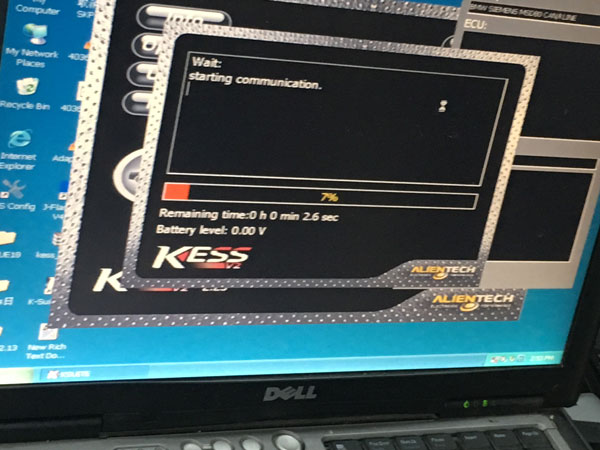
Look here: Kess v2 5.017 is working great with a 2007 BMW
323i 2500 24v N52B25, ECU: siemens msv80.




source:
Why Kess v2 5.017 firmware is populous now?
First, Kess v2 is the latest version.
People usually are curious about new things.
Second, it has better stability when running
The last but the most important, it has the biggest
compatibility with other versions:
- works on cars, trucks,
tractors, bikes, not cars only
- No token limitation for ALL vehicles
(the
old versions have token limitation on some models)
- FULL authorization
of ALL software protocols: add 140 protocols in 5.017 version
(works well for
EDC17/MED17/k-line/DSG/DQ200 DQ250 DQ500 Gearbox/ST10/Ford J1850 ….
!)


Credits to Laura
collected all for us.


